
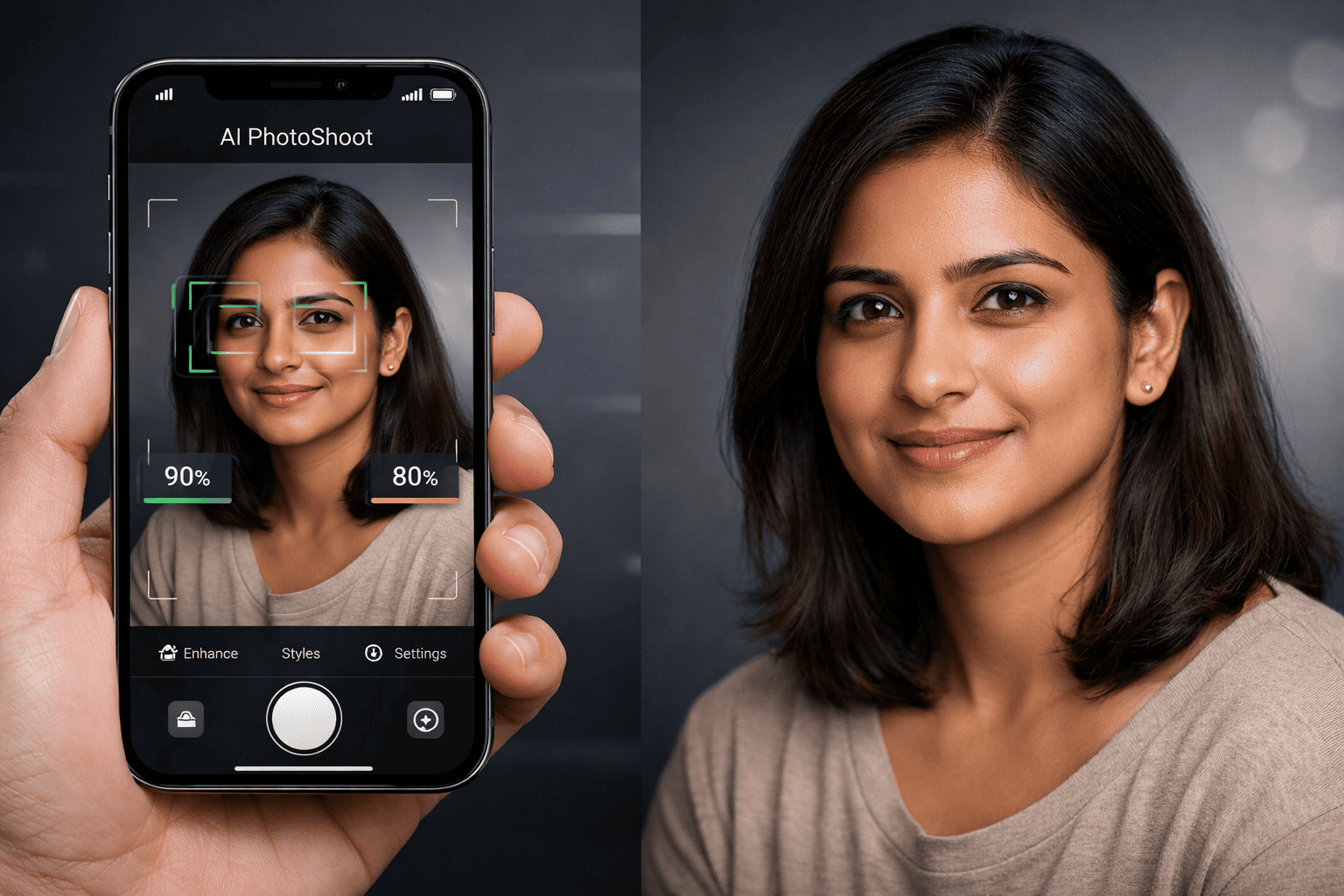
AI image generation is everywhere now.
What most apps don’t talk about is the hardest part of the problem:
👉 Getting the user’s face to actually match the generated image.
In our AI PhotoShoot Android app, we decided early that face accuracy matters more than flashy filters. If the generated image doesn’t look like the user, everything else is pointless.
This article explains exactly how we solved face detection, image quality analysis, and face match scoring, entirely on-device, without expensive APIs or servers, and why this approach dramatically improved our output quality.
The Core Problem With AI Photo Generation Apps
Most AI photoshoot apps fail at one or more of these:
-
Face not detected correctly
-
Wrong face picked when multiple people exist
-
Blurry or poorly lit images degrading results
-
Incorrect image orientation breaking detection
-
Blocking users unnecessarily when detection fails
-
Heavy backend processing increasing cost and latency
We wanted:
-
✅ Accurate face detection
-
✅ Predictable output quality
-
✅ No server dependency
-
✅ Fast performance on low-end devices
-
✅ Honest feedback to users before generation
Our Final Tech Stack (On-Device Only)
We intentionally avoided cloud APIs.
Technologies Used
-
Firebase ML Kit (Vision)
-
On-device face detection
-
Free
-
No network calls
-
-
OpenCV (Android)
-
Blur detection
-
Lighting analysis
-
Sharpness scoring
-
-
Pure Kotlin
-
Image processing pipeline
-
Scoring logic
-
Fallback strategies
-
This increases app size slightly, but the quality improvement is massive.
Why On-Device Face Analysis Matters
Benefits
-
Zero API cost
-
No server latency
-
Works offline
-
Better privacy
-
Faster feedback to user
-
Scales automatically with installs
Trade-off
-
App size increases slightly
✔ Worth it for better face accuracy
The Multi-Strategy Face Detection System (Production-Grade)
We rewrote our ImageQualityAnalyzer from scratch.
Goal
Detect a face reliably in any photo, regardless of orientation, resolution, or device quirks.
Strategy 1: EXIF Orientation Handling
Most phones don’t rotate images physically.
They store rotation info in EXIF metadata.
What We Do
-
Read EXIF orientation
-
Rotate bitmap before detection
Supported cases:
-
ORIENTATION_ROTATE_90
-
ORIENTATION_ROTATE_180
-
ORIENTATION_ROTATE_270
Why This Matters
Without this step:
-
Faces appear sideways to ML models
-
Detection fails silently
-
Users blame the app
Strategy 2: Dual Face Detectors (Fast + Accurate)
We don’t rely on a single detector.
Primary Detector
-
Mode: FAST
-
Min face size: 1%
Fallback Detector
-
Mode: ACCURATE
-
Min face size: 5%
Why This Works
-
FAST works well for clean selfies
-
ACCURATE handles complex group shots
-
Different photos require different detection strategies
Strategy 3: Scaled Image Fallback
Large images often confuse detection models.
Our Rule
If:
-
Image width or height > 1500px
-
No face detected
Then:
-
Scale image down to ~1200px
-
Retry both detectors
Result
-
More consistent detection
-
Less memory pressure
-
Faster processing
Strategy 4: Rotation Fallback (Last Resort)
If EXIF data is missing or wrong:
-
Rotate image by 90°
-
Retry detection
This catches rare edge cases from:
-
Screenshot images
-
Edited photos
-
Broken EXIF metadata
Strategy 5: Never Block the User
This is critical.
Our Rule
-
Face detection failure does not block generation
-
Minimum score is always assigned
-
Backend AI can still attempt generation
Why
-
AI can still work with imperfect inputs
-
Blocking frustrates users
-
Honest scoring is better than hard rejection
Image Quality Scoring System
Each uploaded image gets a transparent quality score.
Score Breakdown
| Component | Max Points | Description |
|---|---|---|
| Face | 50 | Detection confidence |
| Resolution | 25 | Higher resolution = better |
| Sharpness | 15 | OpenCV blur detection |
| Lighting | 10 | Luminance analysis |
| Total | 100 | Final image score |
What the User Sees (UX Flow)
After Image Upload
For each image, we show:
-
Image thumbnail
-
Quality score (percentage)
-
Clear reasons if score < 80%
Example Feedback
-
Face not clearly visible
-
Image slightly blurred
-
Multiple faces detected
-
Low lighting conditions
Overall Face Match Prediction
At the bottom of the dialog:
Your uploaded image quality score is 90%
The generated image face match accuracy will be approximately 90%.
This sets realistic expectations.
User Control and Transparency
Users can:
-
Add more images
-
Remove low-quality images
-
Proceed anyway if they choose
Nothing is forced.
Why This Improved Our Generated Results
Before
-
Inconsistent face matching
-
Users confused by bad results
-
Hard-to-debug complaints
After
-
Face match looks extremely close to original
-
Better polish and refinement
-
Often better than real studio photos
-
Predictable output quality
-
Higher user trust
Performance on Low-End Devices
-
Runs fully on-device
-
Optimized bitmap sizes
-
Minimal memory spikes
-
Works well even on budget phones
Detection typically completes in milliseconds, not seconds.
No Servers. No APIs. No Extra Cost.
The biggest win:
-
No per-image API cost
-
No GPU servers
-
No scaling headaches
-
No privacy concerns
Everything happens inside the app.
Final Thoughts
Good AI image generation isn’t about prompts alone.
It starts with understanding the input image properly.
By combining:
-
Firebase ML Kit
-
OpenCV
-
Smart fallback strategies
-
Honest UX feedback
We achieved studio-grade face matching, entirely on-device.
This slightly increases app size, but when users see their generated images and say:
“This actually looks like me.”
That trade-off becomes obvious.